# PyNeRF

<h4>Pyramidal Neural Radiance Fields</h4>


```{button-link} https://haithemturki.com/pynerf/
:color: primary
:outline:
Paper Website
```

```{button-link} https://github.com/hturki/pynerf
:color: primary
:outline:
Code
```

<video id="teaser" muted autoplay playsinline loop controls width="100%">
    <source id="mp4" src="https://haithemturki.com/pynerf/vids/ficus.mp4" type="video/mp4">
</video>

**A fast NeRF anti-aliasing strategy.**


## Installation

First, install Nerfstudio and its dependencies. Then install the PyNeRF extension and [torch-scatter](https://github.com/rusty1s/pytorch_scatter):
```
pip install git+https://github.com/hturki/pynerf
pip install torch-scatter -f https://data.pyg.org/whl/torch-${TORCH_VERSION}+${CUDA}.html
```

## Running PyNeRF

There are three default configurations provided which use the MipNeRF 360 and Multicam dataparsers by default. You can easily use other dataparsers via the ``ns-train`` command (ie: ``ns-train pynerf nerfstudio-data --data <your data dir>`` to use the Nerfstudio data parser)

The default configurations provided are:

| Method                  | Description                                       | Scene type                     | Memory |
| ----------------------- |---------------------------------------------------| ------------------------------ |--------|
| `pynerf `               | Tuned for outdoor scenes, uses proposal network   | outdoors                       | ~5GB   |
| `pynerf-synthetic`      | Tuned for synthetic scenes, uses proposal network | synthetic                      | ~5GB   |
| `pynerf-occupancy-grid` | Tuned for Multiscale blender, uses occupancy grid | synthetic                      | ~5GB   |


The main differences between them is whether they are suited for synthetic/indoor or real-world unbounded scenes (in case case appearance embeddings and scene contraction are enabled), and whether sampling is done with a proposal network (usually better for real-world scenes) or an occupancy grid (usally better for single-object synthetic scenes like Blender).

## Method

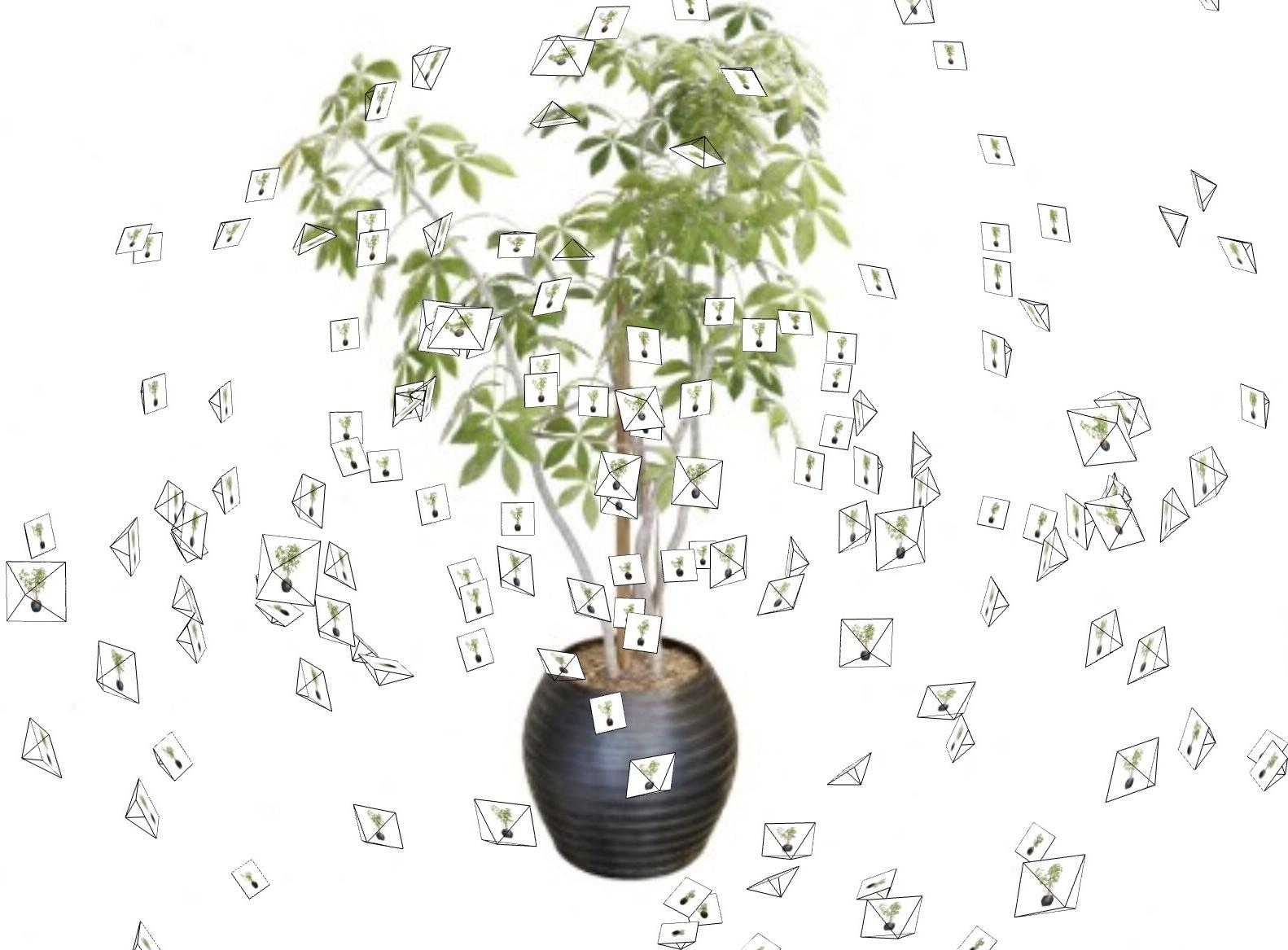
Most NeRF methods assume that training and test-time cameras capture scene content from a roughly constant distance:

<table>
    <tbody>
        <tr>
            <td style="width: 48%;">
                <div style="display: flex; justify-content: center; align-items: center;">
                    <img src="https://haithemturki.com/pynerf/images/ficus-cameras.jpg">
                </div>
            </td>
            <td style="width: 4%;"><img src="https://haithemturki.com/pynerf/images/arrow-right-white.png" style="width: 100%;"></td>
            <td style="width: 48%;">
                <video width="100%" autoplay loop controls>
                    <source src="https://haithemturki.com/pynerf/vids/ficus-rotation.mp4" type="video/mp4" poster="https://haithemturki.com/pynerf/images/ficus-rotation.jpg">
                </video>
            </td>
        </tr>
    </tbody>
</table>

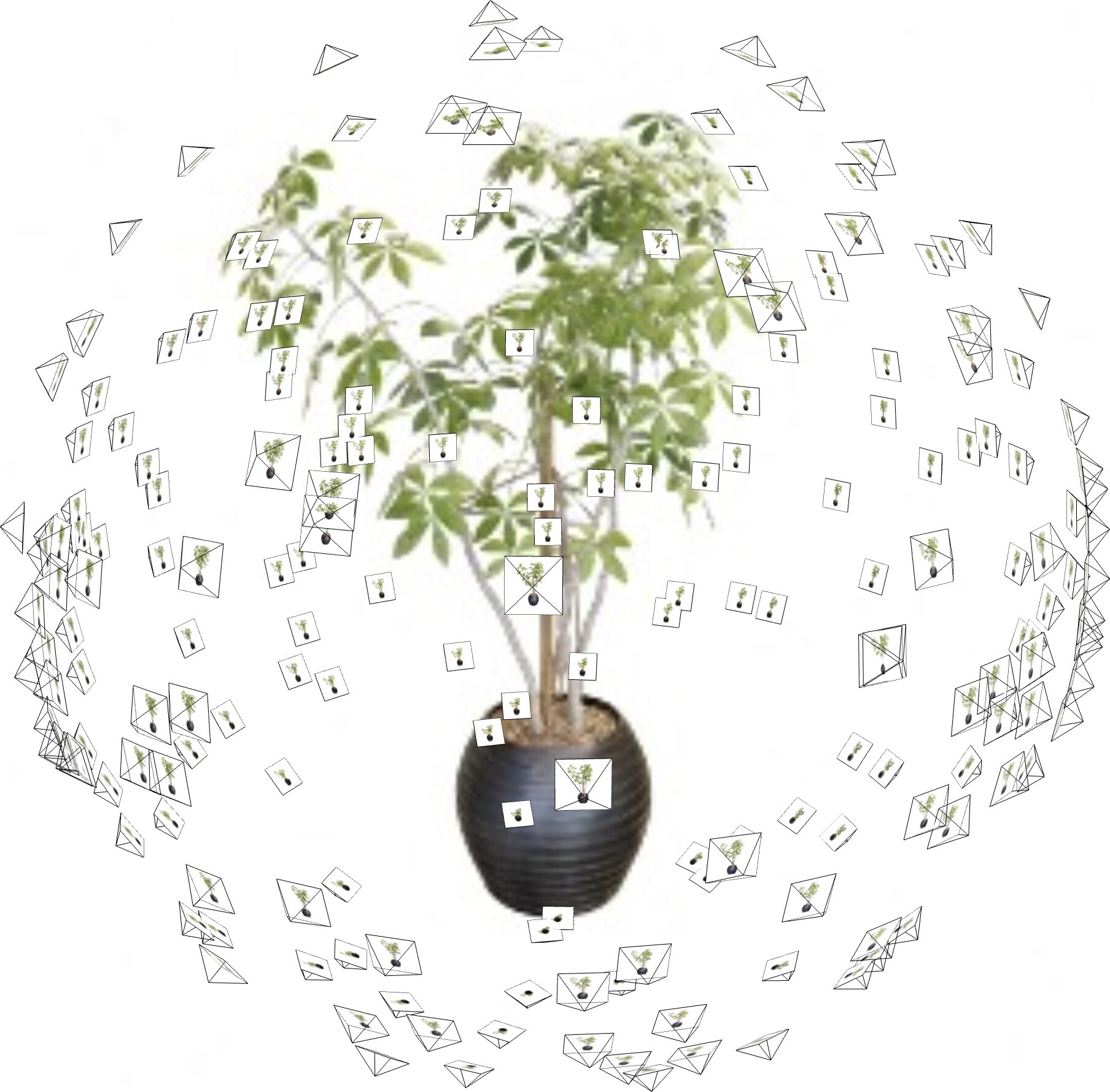
They degrade and render blurry views in less constrained settings:

<table>
    <tbody>
        <tr>
            <td style="width: 48%;">
                <div style="display: flex; justify-content: center; align-items: center;">
                    <img src="https://haithemturki.com/pynerf//images/ficus-cameras-different.jpg">
                </div>
            </td>
            <td style="width: 4%;"><img src="https://haithemturki.com/pynerf/images/arrow-right-white.png" style="width: 100%;"></td>
            <td style="width: 48%;">
                <video width="100%" autoplay loop controls>
                    <source src="https://haithemturki.com/pynerf/vids/ficus-zoom-nerf.mp4" type="video/mp4" poster="https://haithemturki.com/pynerf/images/ficus-zoom-nerf.jpg">
                </video>
            </td>
        </tr>
    </tbody>
</table>

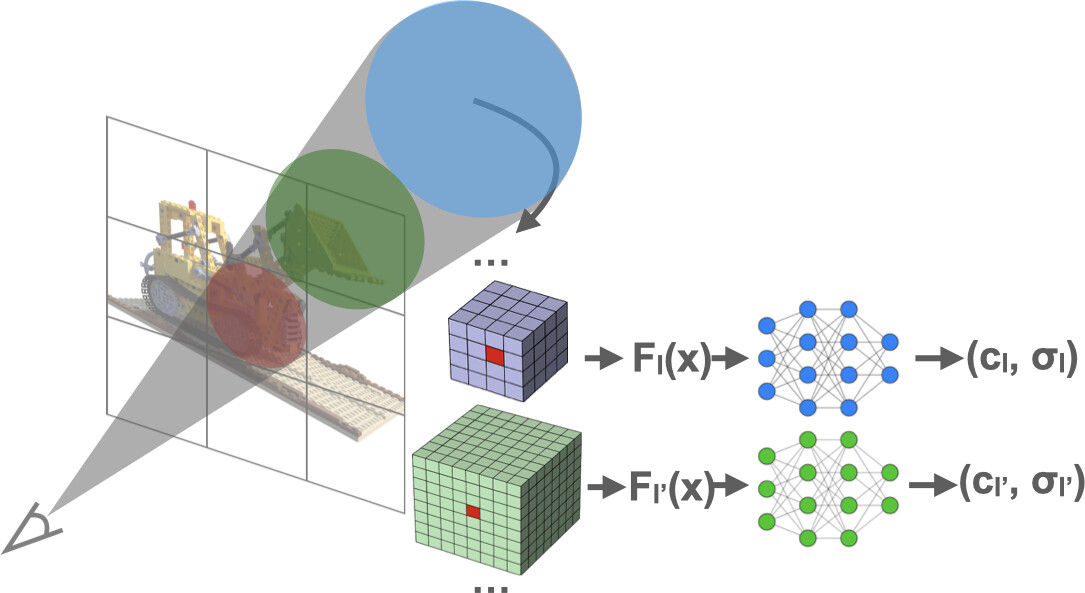
This is due to NeRF being scale-unaware, as it reasons about point samples instead of volumes. We address this by training a pyramid of NeRFs that divide the scene at different resolutions. We use "coarse" NeRFs for far-away samples, and finer NeRF for close-up samples:
<img src="https://haithemturki.com/pynerf/images/model.jpg" width="70%" style="display: block; margin-left: auto; margin-right: auto">