NeRF-SLAM
Real-Time Dense Monocular SLAM with Neural Radiance Fields
Antoni Rosinol
·
John J. Leonard
·
Luca Carlone
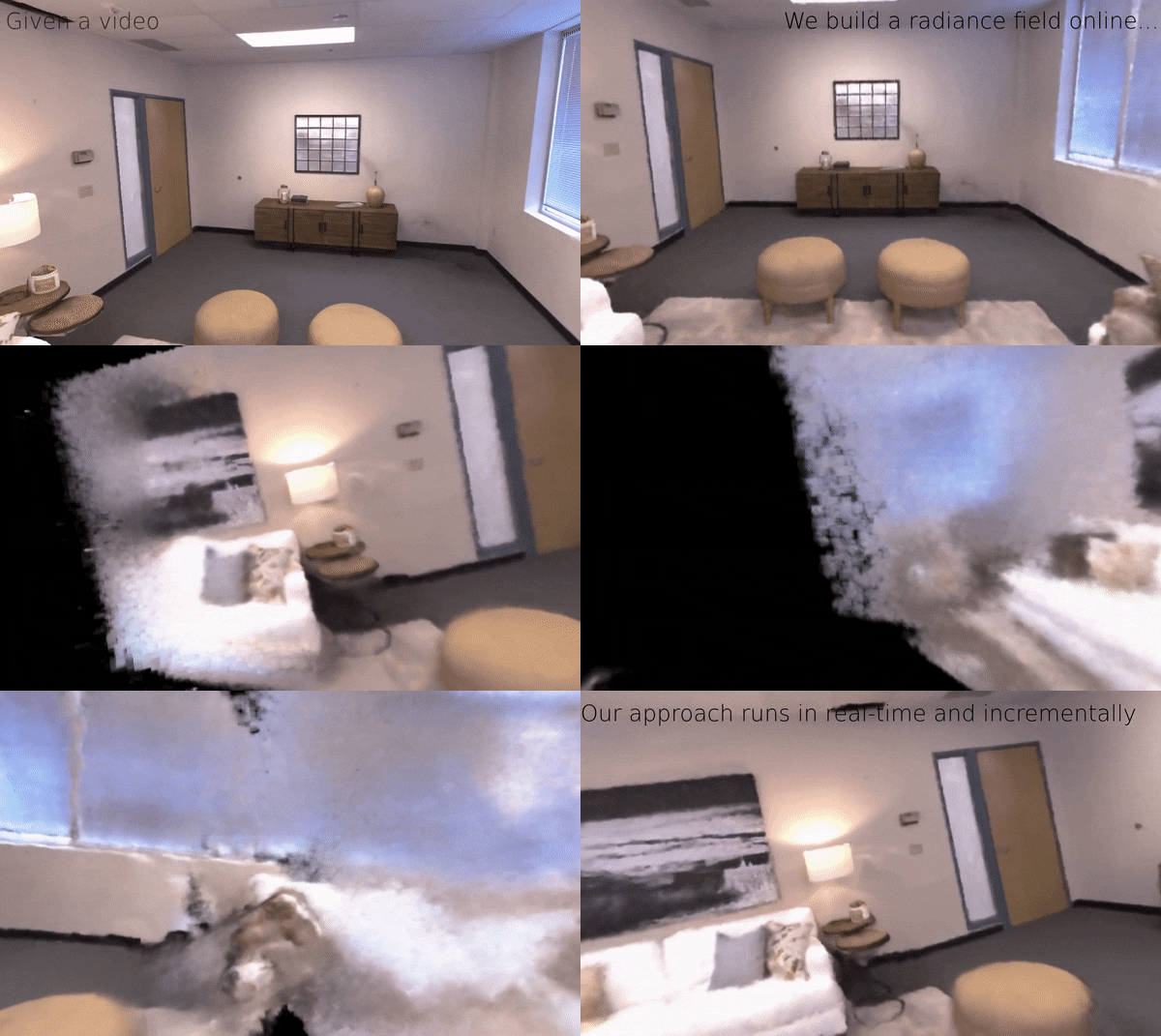
Table of Contents
-
Install
-
Download Datasets
-
Run
-
Citation
-
License
-
Acknowledgments
-
Contact
## Install
Clone repo with submodules:
```
git clone https://github.com/ToniRV/NeRF-SLAM.git --recurse-submodules
git submodule update --init --recursive
```
From this point on, use a virtual environment...
Install torch (see [here](https://pytorch.org/get-started/previous-versions) for other versions):
```
# CUDA 11.3
pip install torch==1.12.1+cu113 torchvision==0.13.1+cu113 --extra-index-url https://download.pytorch.org/whl/cu113
```
Pip install requirements:
```
pip install -r requirements.txt
pip install -r ./thirdparty/gtsam/python/requirements.txt
```
Compile ngp (you need cmake>3.22):
```
cmake ./thirdparty/instant-ngp -B build_ngp
cmake --build build_ngp --config RelWithDebInfo -j
```
Compile gtsam and enable the python wrapper:
```
cmake ./thirdparty/gtsam -DGTSAM_BUILD_PYTHON=1 -B build_gtsam
cmake --build build_gtsam --config RelWithDebInfo -j
cd build_gtsam
make python-install
```
Install:
```
python setup.py install
```
## Download Sample Data
This will just download one of the replica scenes:
```
./scripts/download_replica_sample.bash
```
## Run
```
python ./examples/slam_demo.py --dataset_dir=./datasets/Replica/office0 --dataset_name=nerf --buffer=100 --slam --parallel_run --img_stride=2 --fusion='nerf' --multi_gpu --gui
```
This repo also implements [Sigma-Fusion](https://arxiv.org/abs/2210.01276): just change `--fusion='sigma'` to run that.
## FAQ
### GPU Memory
This is a GPU memory intensive pipeline, to monitor your GPU usage, I'd recommend to use `nvitop`.
Install nvitop in a local env:
```
pip3 install --upgrade nvitop
```
Keep it running on a terminal, and monitor GPU memory usage:
```
nvitop --monitor
```
If you consistently see "out-of-memory" errors, you may either need to change parameters or buy better GPUs :).
The memory consuming parts of this pipeline are:
- Frame to frame correlation volumes (but can be avoided using on-the-fly correlation computation).
- Volumetric rendering (intrinsically memory intensive, tricks exist, but ultimately we need to move to light fields or some better representation (OpenVDB?)).
### Installation issues
1. Gtsam not working: check that the python wrapper is installed, check instructions here: [gtsam_python](https://github.com/ToniRV/gtsam-1/blob/develop/python/README.md). Make sure you use our gtsam fork, which exposes more of gtsam's functionality to python.
2. Gtsam's dependency is not really needed, I just used to experiment adding IMU and/or stereo cameras, and have an easier interface to build factor-graphs. This didn't quite work though, because the network seemed to have a concept of scale, and it didn't quite work when updating poses/landmarks and then optical flow.
3. Somehow the parser converts [this](https://github.com/borglab/gtsam/compare/develop...ToniRV:gtsam-1:feature/nerf_slam#diff-add3627555fb7411e36ea4d863c15f4187e018b6e00b608ab260e3221aef057aR345) to
`const std::vector&`, and I need to remove manually in
`gtsam/build/python/linear.cpp`
the inner `const X& ...`, and also add `` because:
```
Did you forget to `#include `?
```
## Citation
```bibtex
@article{rosinol2022nerf,
title={NeRF-SLAM: Real-Time Dense Monocular SLAM with Neural Radiance Fields},
author={Rosinol, Antoni and Leonard, John J and Carlone, Luca},
journal={arXiv preprint arXiv:2210.13641},
year={2022}
}
```
## License
This repo is BSD Licensed.
It reimplements parts of Droid-SLAM (BSD Licensed).
Our changes to instant-NGP (Nvidia License) are released in our [fork of instant-ngp](https://github.com/ToniRV/instant-ngp) (branch `feature/nerf_slam`) and
added here as a thirdparty dependency using git submodules.
## Acknowledgments
This work has been possible thanks to the open-source code from [Droid-SLAM](https://github.com/princeton-vl/DROID-SLAM) and
[Instant-NGP](https://github.com/NVlabs/instant-ngp), as well as the open-source datasets [Replica](https://github.com/facebookresearch/Replica-Dataset) and [Cube-Diorama](https://github.com/jc211/nerf-cube-diorama-dataset).
## Contact
I have many ideas on how to improve this approach, but I just graduated so I won't have much time to do another PhD...
If you are interested in building on top of this,
feel free to reach out :) [arosinol@mit.edu](arosinol@mit.edu)